Only for purchase orders
Checks that know your products and prices.
The purchase order field list does everything the other document types do. It also checks each order against the lists you upload once, and gives you a sales order file.
Purchase order fields
Read the purchase orders your customers send: order number, buyer, dates, delivery address and every line. Each line is checked against your own product list and prices, and you download a sales order file.
Your workspace
The same workspace you get when you sign up, opened on the screen closest to this kind of document. Pick a tab to see the rest.
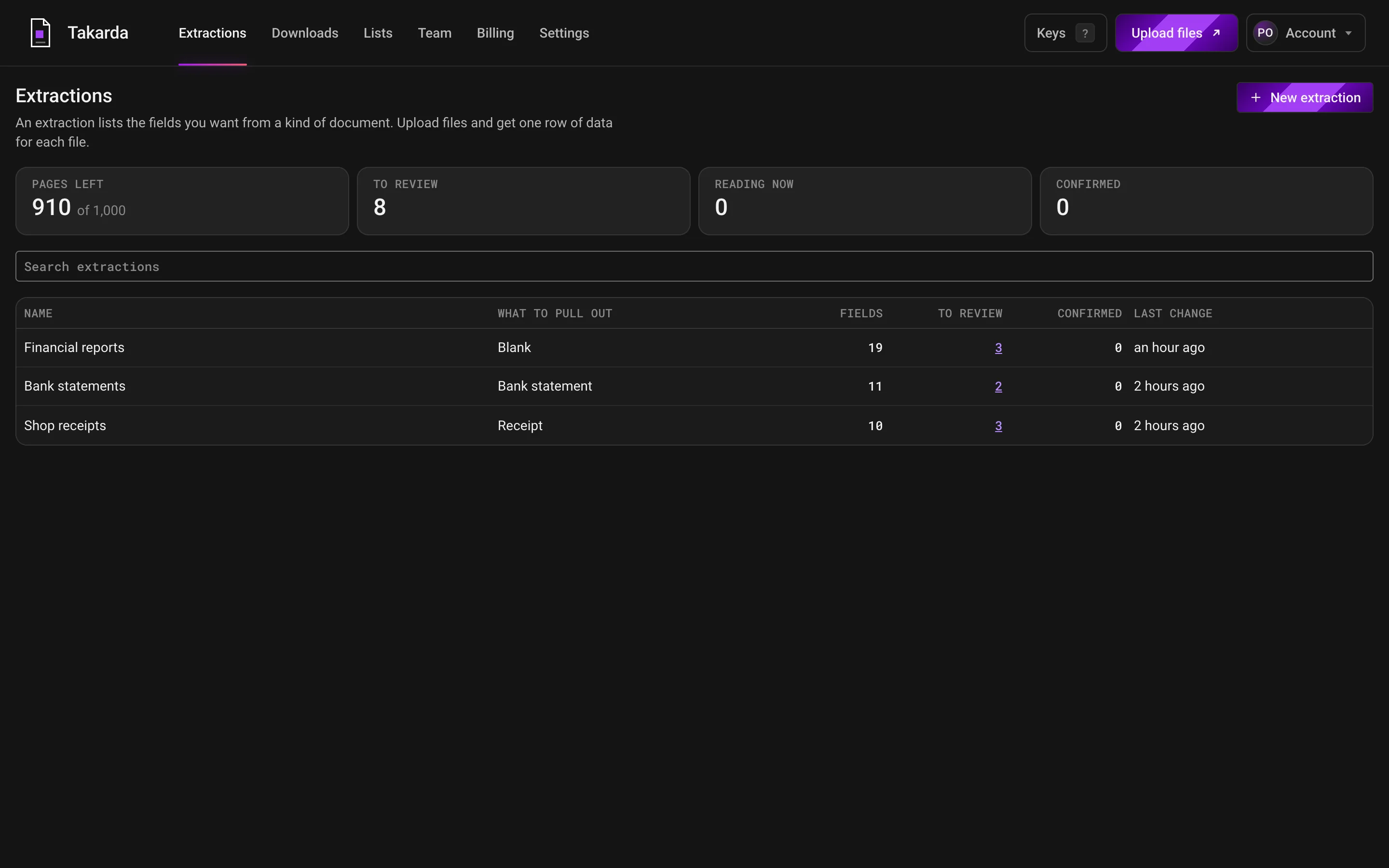
Each list you have made shows its files, how many are waiting for a look and how many are confirmed.
The count at the top shows the pages you have left this month.
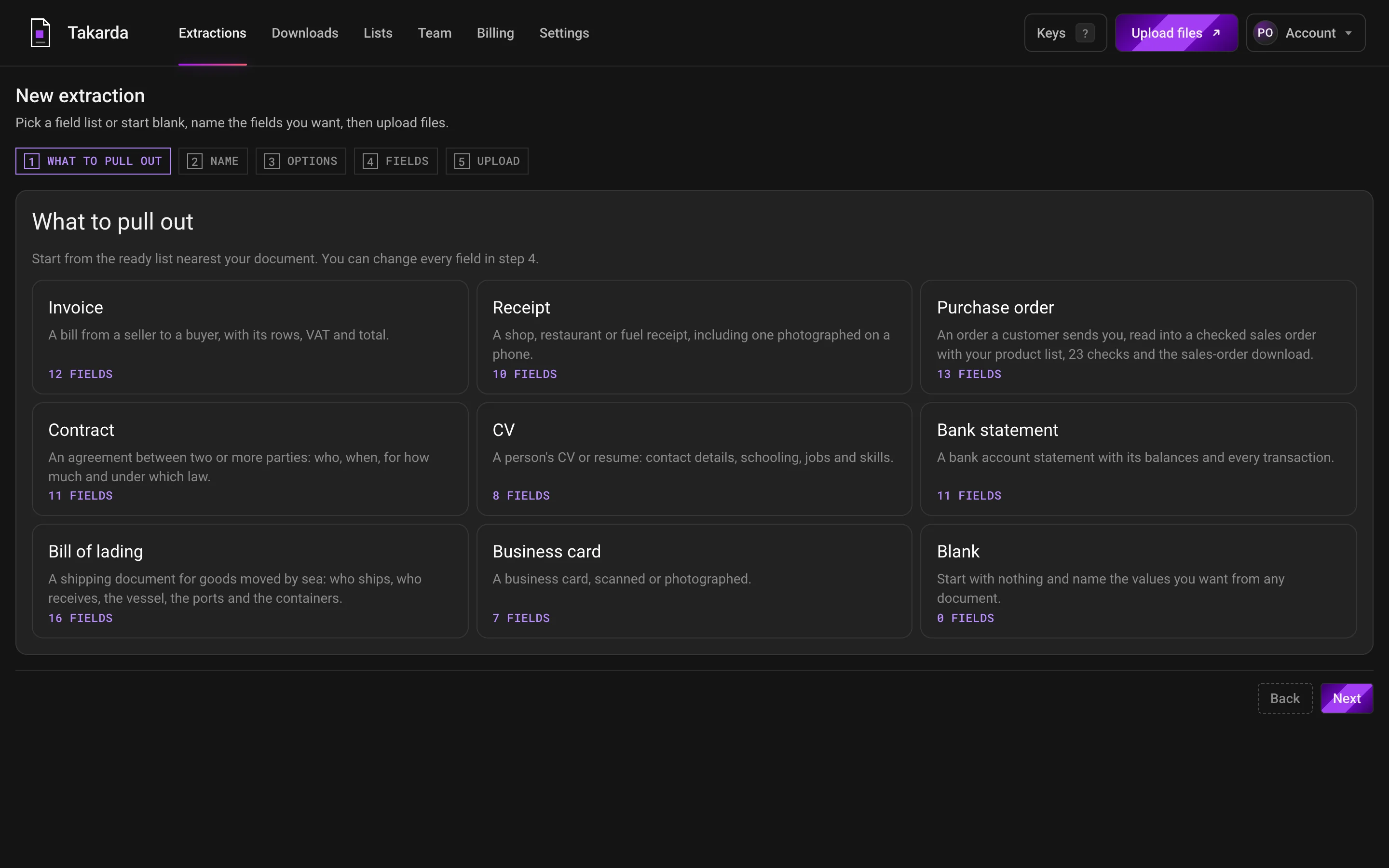
Pick the ready list nearest your document, such as an invoice, a receipt or a bank statement, or start with a blank one.
Then name each value you want, say what kind it is, and change any field you like.
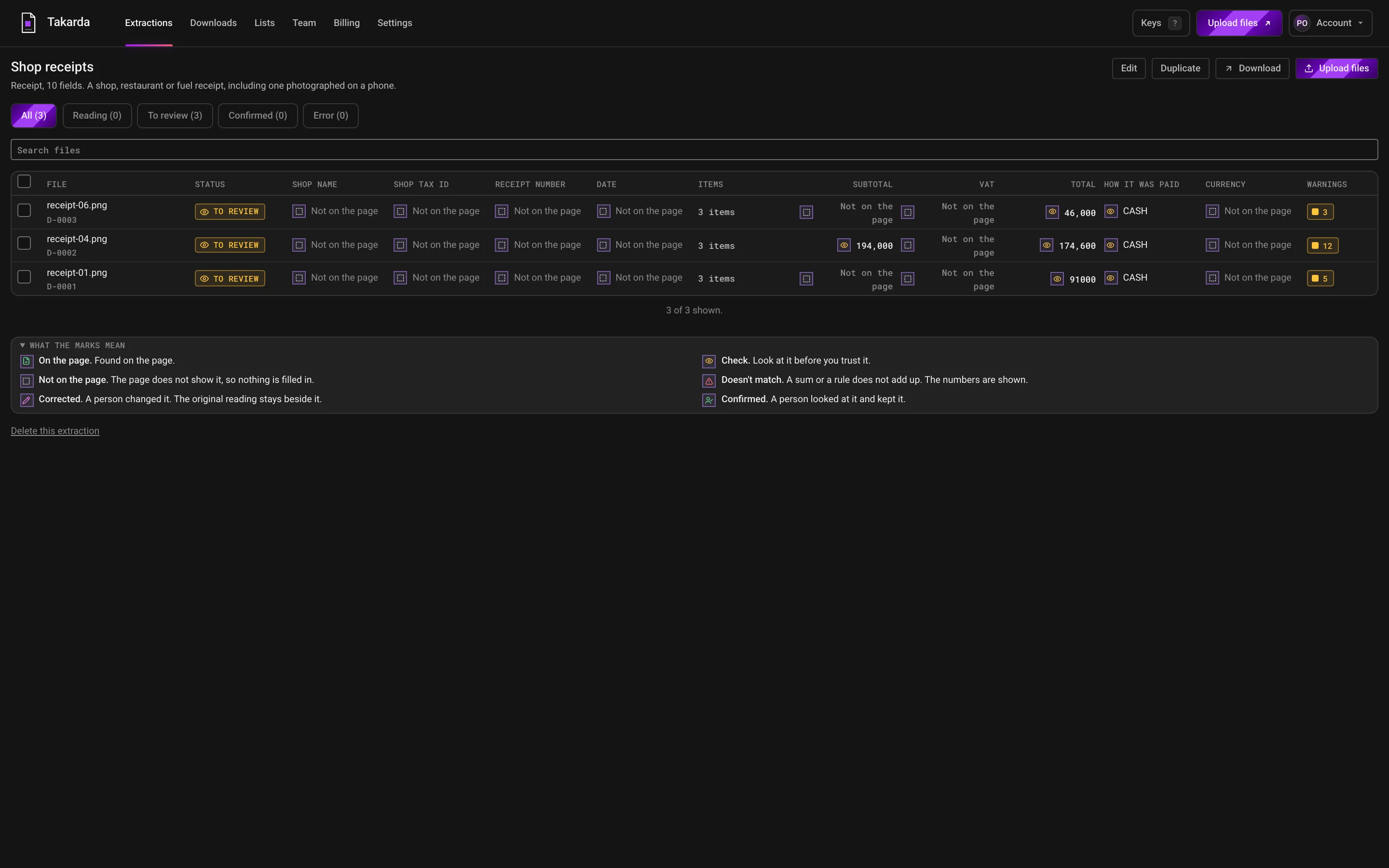
Each file is one row and each value you asked for is one column.
A mark on every value says whether it was found on the page, so nothing is filled in to look complete.
Receipt photos on these screens are from the public CORD v2 set by NAVER Clova, licence CC BY 4.0.
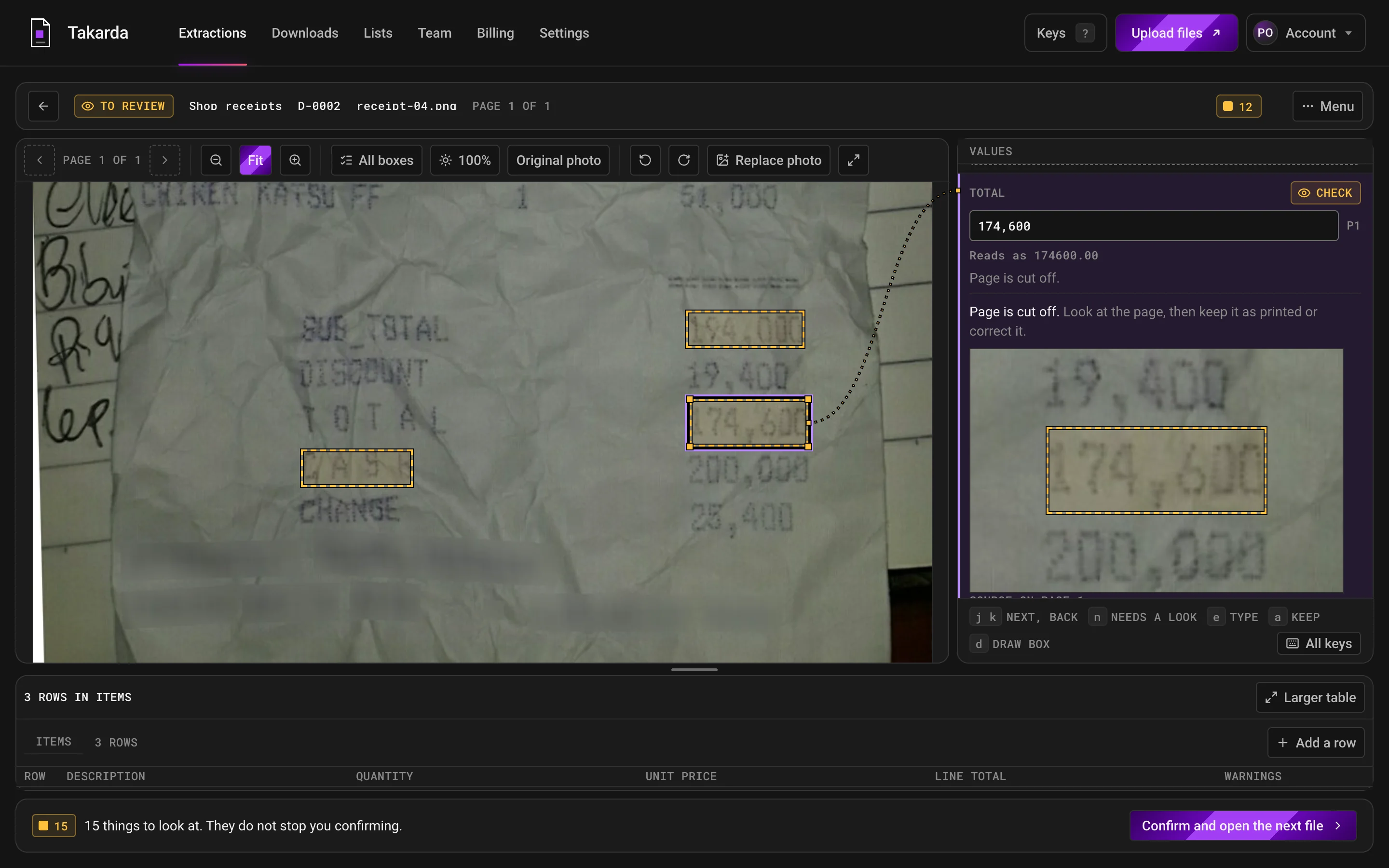
Click a value and its box lights up on the page, with a close-up of what was read beside it.
Warnings stay in view, and a person confirms each file before it can be downloaded.
Receipt photos on these screens are from the public CORD v2 set by NAVER Clova, licence CC BY 4.0.
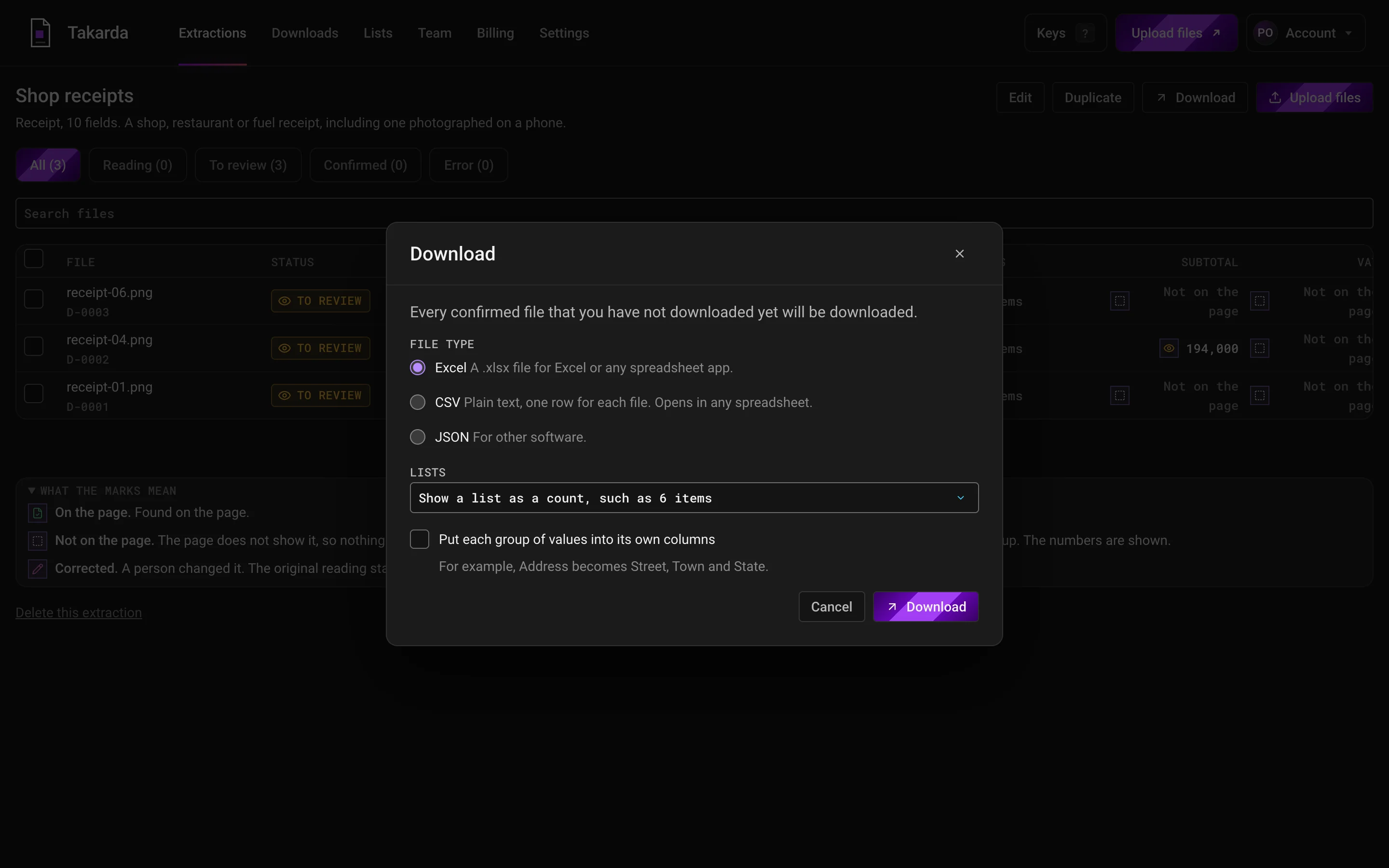
Download your checked files as Excel, CSV or JSON, and choose how lists are shown.
If a file still has warnings, Takarda lists every one first and asks you to confirm.
Receipt photos on these screens are from the public CORD v2 set by NAVER Clova, licence CC BY 4.0.
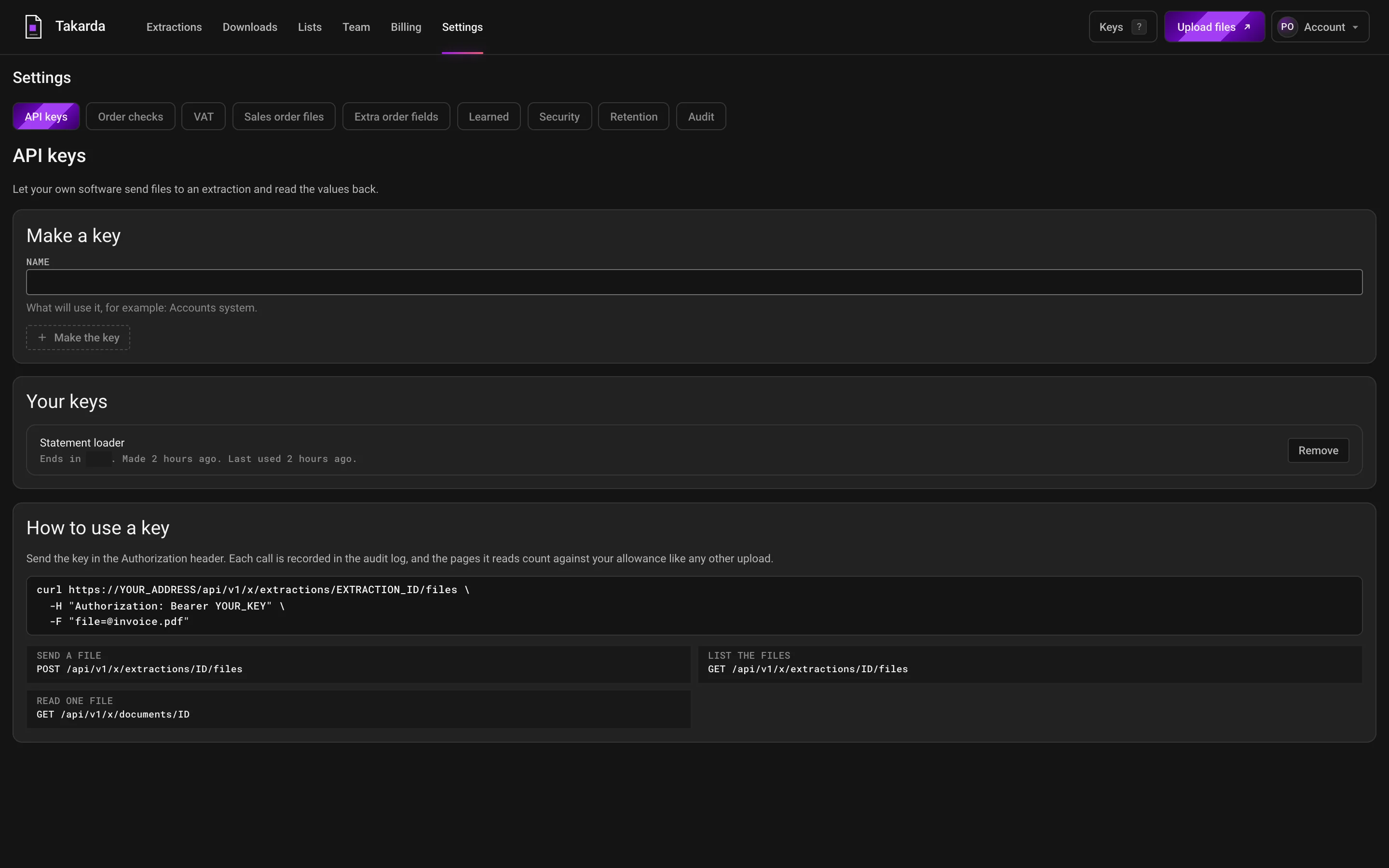
Make a key, and your own software can send files and read the values back.
Each file it sends counts against your pages like any other upload.
Read your own files after you sign up: the free plan reads 30 pages a month.
What it reads
The ready field list starts with these fields. Reword a field, remove it, or add your own.
Only for purchase orders
The purchase order field list does everything the other document types do. It also checks each order against the lists you upload once, and gives you a sales order file.
Checks
Eight use your lists and three use your earlier orders. A check whose list you have not uploaded says Not set up and does not run, so you can still confirm and download.
The main details are there
The order number, order date and buyer name are there, with at least one line that has a quantity and a description.
Delivery date missing
A missing delivery date stays missing. Takarda suggests one from the customer's usual lead time, and you accept it or ignore it.
Signed or stamped
An approver's name and a signature or stamp are on the page.
Missing pages
The page says there are more pages than you uploaded.
Dates are in order
The delivery date is not before the order date, and the order date is not more than a day ahead of today.
Old order
The order is older than your limit, or it has run out.
Delivery branch and day
The delivery branch is not one of the customer's branches, or the delivery day is a Sunday or a public holiday.
Same order twice
The same buyer, branch and order number is already in your account.
Nearly the same order
The same buyer sent the same lines with nearly the same total in the last few days.
Order number looks different
The order number does not look like this buyer's earlier order numbers.
Each line adds up
Quantity times unit price, less any discount, equals the line total on the page.
The order adds up
The lines add up to the subtotal on the page, and the subtotal plus VAT equals the total.
Currency
The currency is not naira. When no currency is shown, naira is taken and you get a note.
A digit that was hard to read
The line adds up if one digit that was hard to read is changed, so Takarda suggests that digit.
VAT adds up
The VAT rate is 0% or 7.5%, the VAT on the page is 7.5% of the lines that carry VAT, and the order shows its VAT.
VAT on each product
The VAT on the page does not match the VAT you set for the product. It is shown to you and never changed.
Buyer Tax ID
The Tax ID is there, looks like a Tax ID and matches your customer list. This check only warns.
Prices with VAT in
A price close to the list price plus VAT suggests the order's prices already include VAT.
Price against your price list
A small gap from the list price is a note, a bigger one a warning, and a large one holds the order until an Admin or the Owner clears it.
Pack size and unit
A single piece priced like a carton or the other way round, part of a carton, or a pack size that does not match your product list.
Product code matching
Each line is matched by barcode, then by a name you confirmed before, then by a close match for you to accept. A line with no match holds the order until you choose one.
Barcode is real
The barcode's last digit checks out, and it is not a made up number such as all zeros.
Payment terms
The payment terms on the page differ from your customer list.
Your lists
Upload CSV or Excel once and update it when it changes. A check that needs a list shows Not set up until you upload it. On Business, we load them for you.
Sales order file
Download it as CSV or Excel, with the same columns in both, and bring it into your own books.
| File | What it is | Shape |
|---|---|---|
| CSV | The standard file. It opens cleanly in Excel, naira signs and all. | One row for each line of the order, with the order details on every row, 34 columns. |
| Excel (XLSX) | The same columns. | Cells that start with an equals sign, a plus, a minus or an at sign are made safe, so nothing in them runs as a formula. Numbers stay numbers. |
Order number and date, buyer, customer code, delivery branch and address, delivery date, payment terms, Tax ID and currency.
Line number, the buyer's code, barcode, our product code, description, unit, quantity, units per pack, the order price, the list price and the difference.
VAT code and rate, net, VAT and gross for each line.
The warnings that were raised, who reviewed the order and when.
Fields you add come after the standard columns.
Scope
Your own fields
Reword a field, add one, remove one, or start blank. Describe each field in a sentence, give a typical value, and save the field list. Use it for every file after that.
No training needed
There is nothing to train and no files to label. For each field, write its name, say in a sentence what to look for, and give a typical value. If a value comes back empty, reword the sentence and read the file again.
01
02
03
Any format
Upload what you have. Takarda prepares each file before it reads it, so a crooked photo and a clean PDF end up in the same columns.
A file can have up to 100 pages and be up to 20 MB. Upload up to 50 files at a time.
Security
Stored in Africa (Johannesburg). Takarda AI reads each page in the European Union.
Takarda does not use your documents to train any model.
Files travel over an encrypted connection and are stored encrypted.
Each correction and confirmation is logged with who made it. The original reading stays beside it.
Questions
Extra checks that go beyond the common ones: dates, repeated orders, line sums, VAT, pack sizes and your own price list. Each check names the value it is about and never changes it.
Yes, once you upload your product list. A line is matched by barcode first, then by a code you confirmed before, then by a close match you accept. A line that matches nothing waits for you.
Lines are still read, and the checks that need your lists say so and do not run. You can confirm and download without them, and add the lists later.
PDFs, JPG, PNG and HEIC pictures, Word (.docx) files and plain text (.txt) files. A file can have up to 100 pages and be up to 20 MB, and you can upload up to 50 files at once. A file Takarda cannot open is refused with a plain note on what to send instead.
It reads Not on the page and stays empty. Takarda does not guess to fill a gap. A value that is found points to a box on the page. Some wrong readings can still get through, which is why you look at each file and confirm it before you download.
The Free plan reads 30 pages a month. Paid plans start at ₦30,000 a month for 250 pages, in naira, month to month. You pay for the pages Takarda reads, not for the people on your team.